15 to 60 minutes
Pick 15, 25, 45 or 60 minutes and the workout is built to fit.

Tell Rivet how long you have and what kit is around. It will build your workout, find room for it in your day, and count your sets while you train. Included in Rivet, on iPhone.
See how it works Try it free
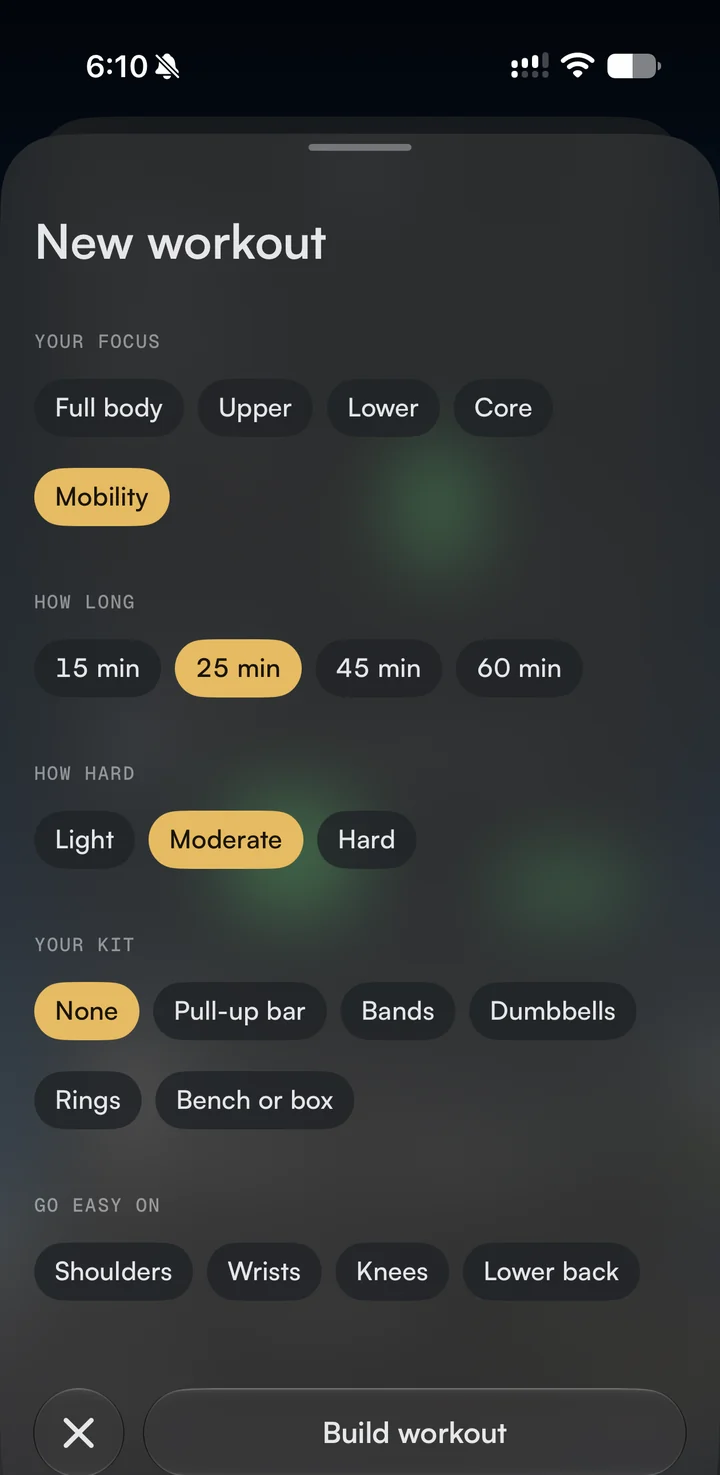
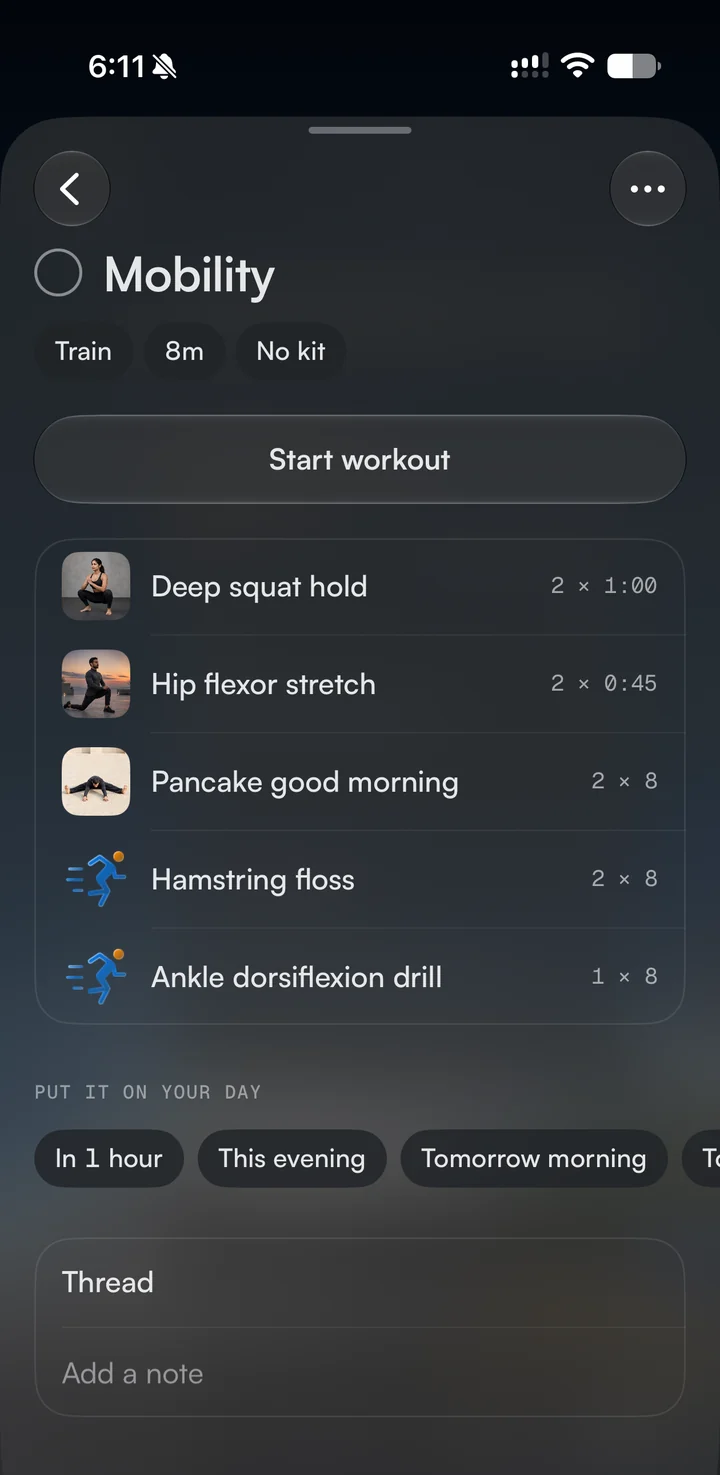
Pick what you want to work on, how long you have and how hard you want to go. Rivet will build the workout, exercise by exercise.
Choose Full body, Upper, Lower, Core or Mobility. If a shoulder, a wrist, a knee or your lower back needs looking after, tell Rivet to go easy on it and it will leave out anything that would load it.
Pick 15, 25, 45 or 60 minutes and the workout is built to fit.
None at all, or a pull-up bar, bands, dumbbells, rings, or a bench or box.
More sets and longer rests as you go up.
Ask Rivet for a "45 minute workout after my 5 o'clock". It will look at your day and come back with a time: "You're free from 17:45. Here is a full body session at 18:00." Nothing is added until you tap Add.
Or put it on your day yourself: in an hour, this evening or tomorrow morning. It sits on your timeline at its real length, right next to your meetings and to-dos.
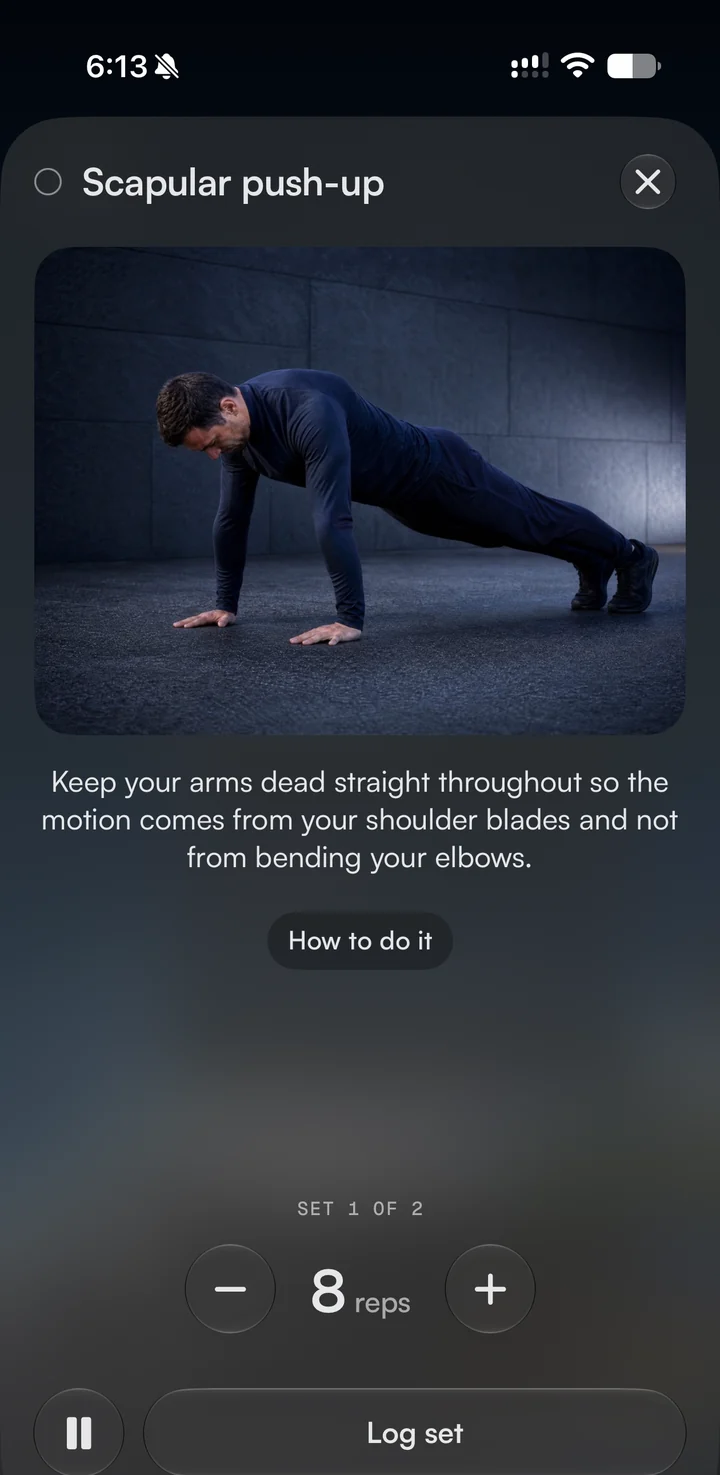
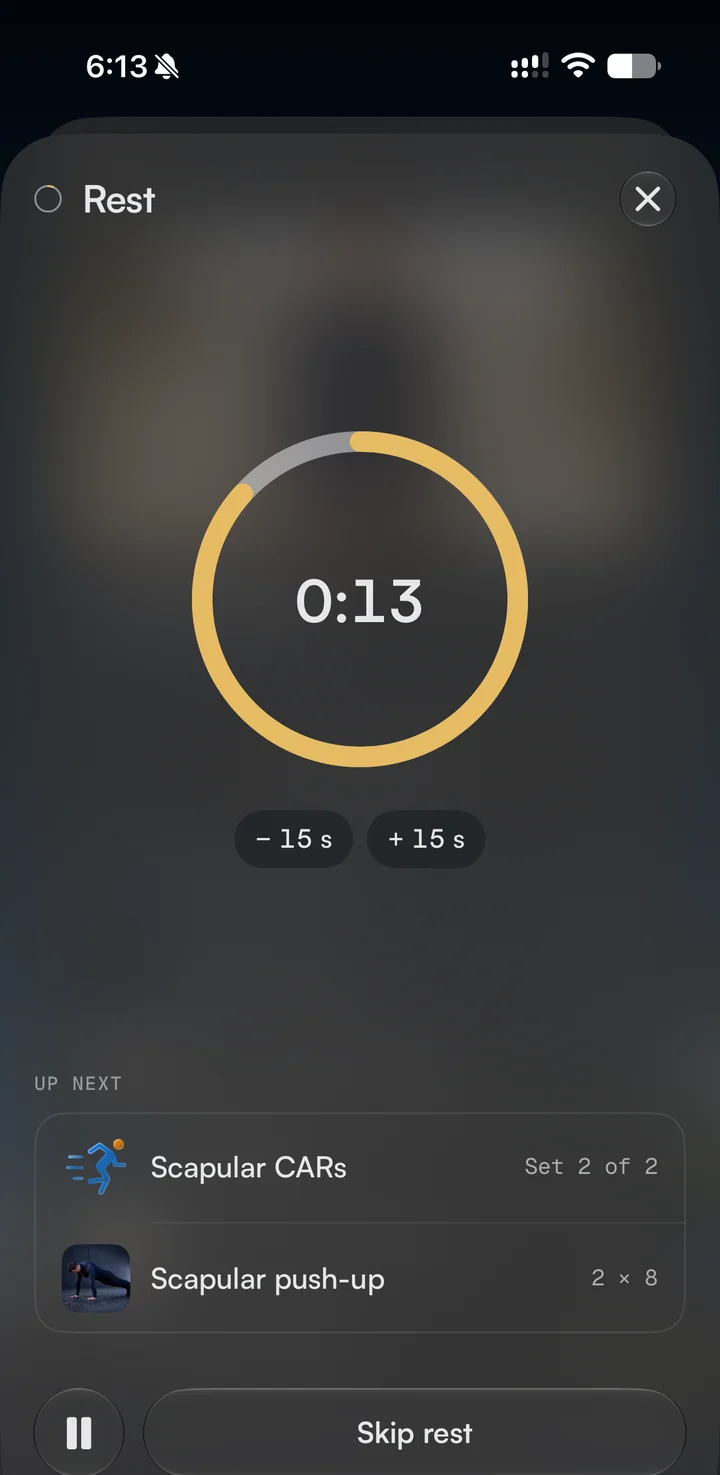
Start your workout and Rivet shows you one exercise and one set at a time, with a short reminder of how to do it. Log your reps and your rest starts by itself.
The rest timer shows what's coming next, and it stays on your Lock Screen, so you can put your phone down. If an exercise isn't working for you today, swap it or skip it.
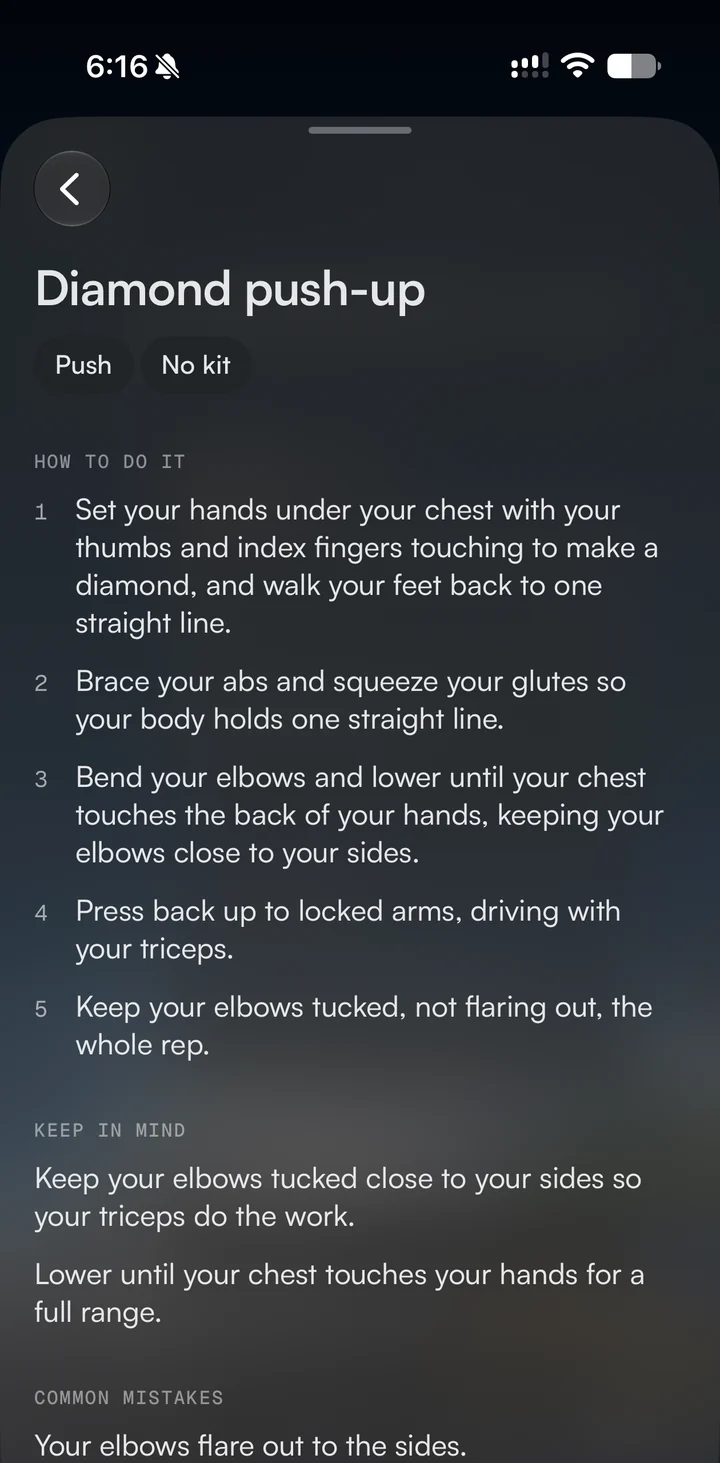
There are 274 exercises in Rivet. Each one comes with steps to follow, the things to keep in mind, and the common mistakes with how to fix them.
Each one also points you to an easier version and a harder one, so there is always somewhere to go next.
When you finish, tell Rivet how it felt: Easy, About right or Hard. Your next workout moves up or down to match.
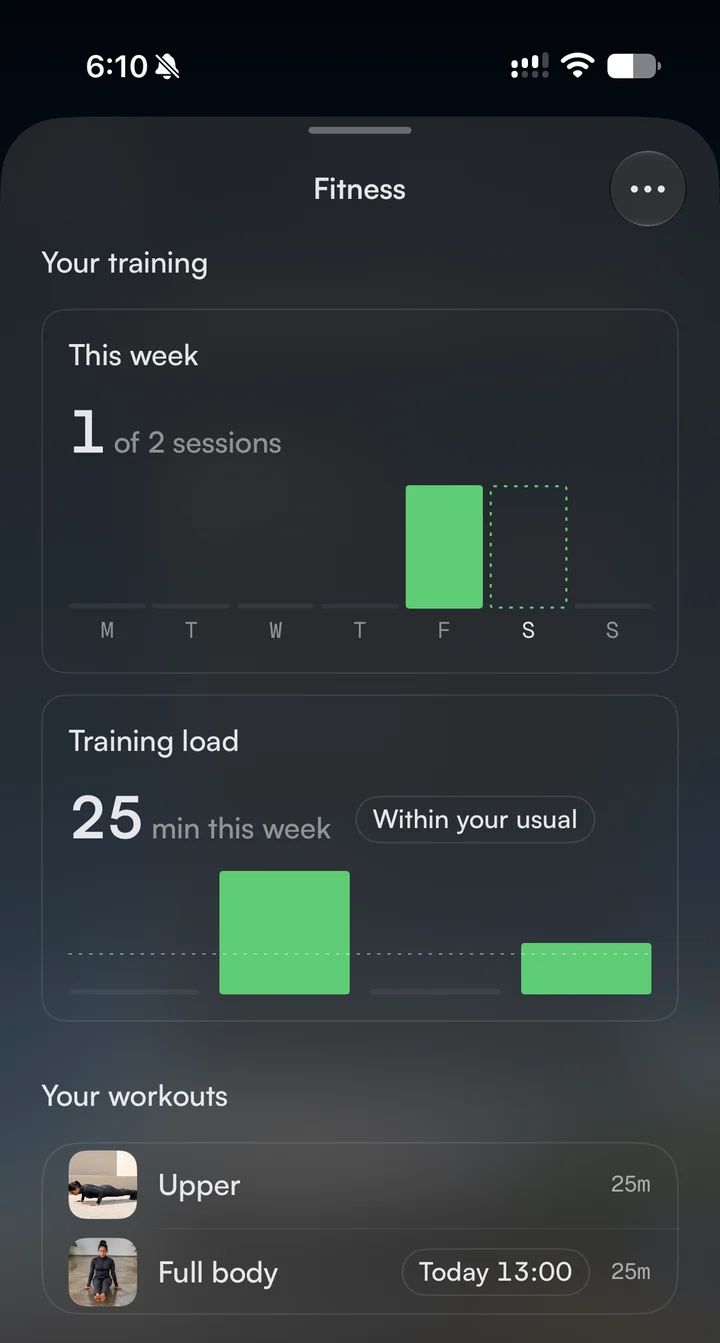
With Apple Health connected, Rivet will tell you whether you're ready to train today, from your sleep and your heart, and whether this week is more or less than your usual. Every workout you finish is saved to Apple Health, and it's all there when you look back on your week, your month or your year.
What Fitness is, what it needs, and what it doesn't do.
Fitness is part of Rivet. There is nothing extra to buy.
Most of the exercises need only a floor or a wall.
Fitness runs on iPhone with iOS 26 or later. It isn't on the Mac.
A workout you record on your Apple Watch shows on your day through Apple Health. Rivet doesn't have a Watch app.
Rivet builds single workouts for strength and mobility. It doesn't make running plans or multi-week programmes.
Rivet isn't a doctor. If something hurts, stop, and talk to one before you carry on.
Fitness is included in Rivet. Try everything free for 14 days.
Try it free for 14 days